Backlink Audit Checklist: 10 Steps From Export to Disavow Decision
What a backlink audit is and a 10-step checklist to run one with free tools, from the Search Console export to a disavow decision Google would back.
· · 11 min read
Google Search Console will let you export up to 100,000 rows of links. Its own help page then tells you the report "isn't a comprehensive list of every link" to your site. Every third-party tool has the same problem from the other side: a big index, but not Google's.
That gap is where a lot of backlink audits go wrong. People export one tool, sort by a "toxic" score, and disavow. This backlink audit checklist does it the other way round: two sources, one deduplicated sheet, a few hard checks per domain, and a disavow decision that Google's own documentation would back.
Short answer: A backlink audit is a structured review of every site linking to you, to confirm which links are real, which are lost or broken, and whether any pattern could cause a manual action. The checklist: export from Search Console and one third-party index, dedupe by domain, check DR, traffic and index status, review anchors and link types, reclaim lost links, and disavow only if Google's conditions are met.
What is a backlink audit?
A backlink audit is a check of the links pointing at your site, done in a fixed order so you can repeat it.
You're answering four questions. Which links exist? Which still work? Which actually come from real, indexed pages? And is there anything Google would read as link spam?
It is not the same as counting links or watching DR go up. A backlink profile audit looks at quality and patterns, not totals. If you want the background on what a profile is made of, our guide to what a backlink profile is covers the parts. This post is the working checklist.
One opinion up front: the audit's main job in 2026 is finding lost value and bad buys, not hunting "toxic" links. Google has said since its December 14, 2022 link spam update that it uses SpamBrain to "neutralize the impact of unnatural links on search results." Most junk links are already ignored.
What do you need before you start a backlink audit?
Less than the tool vendors suggest. A free setup covers most sites:
- Google Search Console with your property verified. This is Google's own view of your links.
- One third-party backlink index (Ahrefs, Semrush, Moz or Majestic). For your own site, Ahrefs Webmaster Tools (now branded Ahrefs Free) is free once you verify ownership. Our roundup of link building tools lists which ones have a free option.
- A spreadsheet with one row per referring domain.
- Free checkers for DR, index status and redirects. I use three free Serpbays tools, linked in the steps below.
If you're looking for a backlink audit tool free of charge, that combination is it. Paid backlink audit tools add speed and history, not a different answer.
The backlink audit checklist: 10 steps
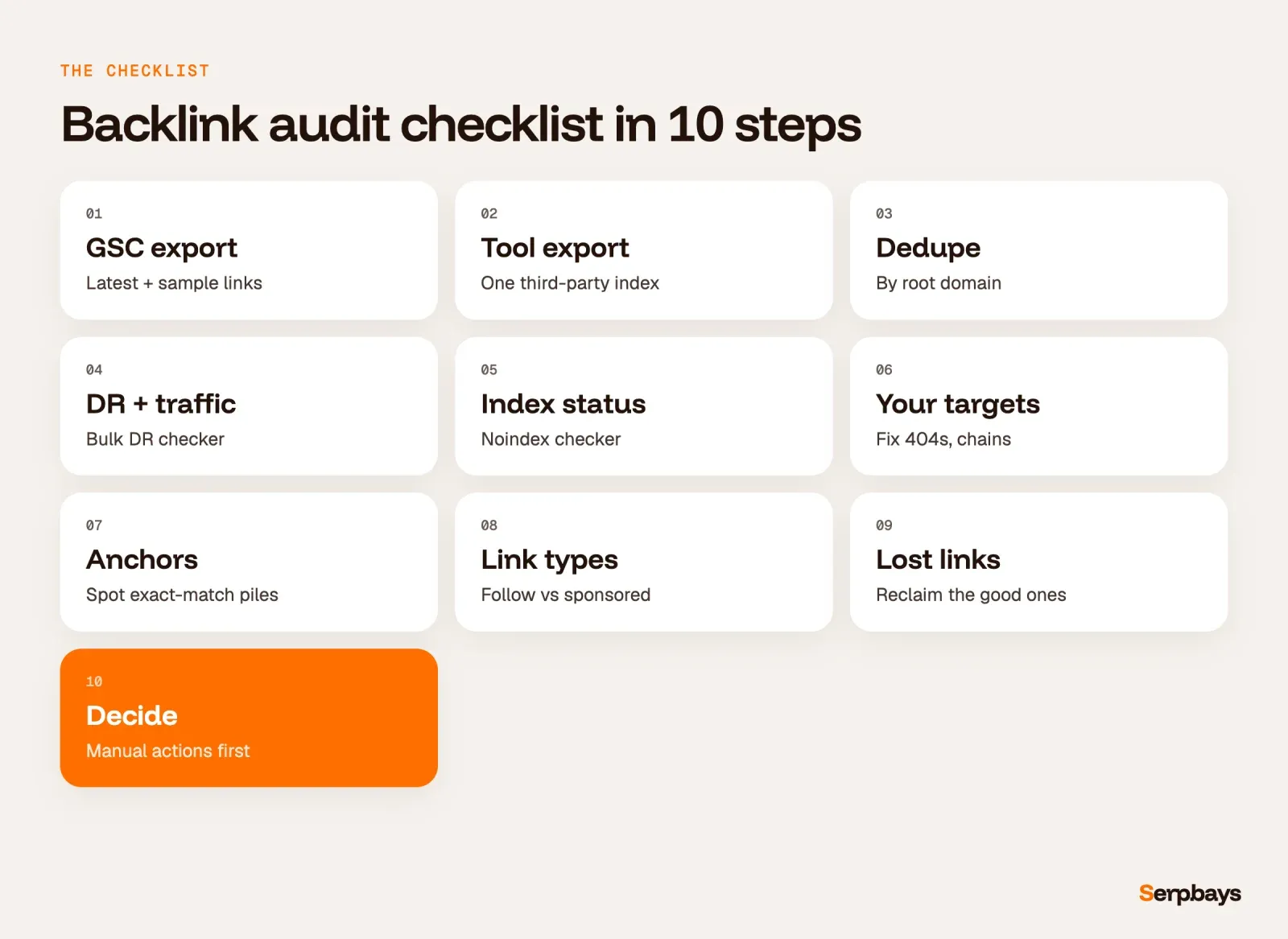
Here is how to do a backlink audit, step by step. Each step is explained below the list.
- Export your links from Google Search Console.
- Export referring domains from one third-party index.
- Merge both lists and dedupe by root domain.
- Check DR and organic traffic for every domain.
- Confirm the linking pages are live and indexable.
- Check your own target URLs for redirects and 404s.
- Review anchor text.
- Review link types (follow, nofollow, sponsored).
- List lost and broken links to reclaim.
- Check for spam patterns and manual actions, then decide.
Step 1: Export from the Search Console Links report
Go to Links, then use the Export button on the main page. Google's Links report help page says you can "Export up to 100,000 rows of data" and names two slices: "Latest links", sorted by discovery date, and "More sample links", a sample drawn from the full set of links Google knows. Export both. The on-screen tables are capped: "Tables are limited to 1,000 rows."
Three limits to note in your sheet. Google says the report "isn't a comprehensive list of every link." It says some links "may have since been removed, or a page may no longer exist." And it says "Some URLs might be omitted for various reasons, such as non-indexed pages or deduped URLs."
Step 2: Export from a third-party index
Pull the referring domains report from your tool of choice. One is enough. A second paid tool rarely changes the decision.
Step 3: Merge and dedupe by root domain
Search Console groups everything by root domain. Its help page says protocol, subdomain and subdirectories "are stripped and grouped together," so a link from m.example.com shows as example.com. Do the same to your third-party export, then remove duplicates. You audit domains, not individual URLs, because one bad domain with 400 sitewide links is one decision, not 400.
Keep a column for the source (GSC, tool, or both). A domain only one source sees isn't suspicious by itself.
Step 4: Check DR and organic traffic
Run the domains through our bulk DR checker, which takes 20 domains per run and exports to CSV. Then add an organic traffic estimate from your third-party tool.
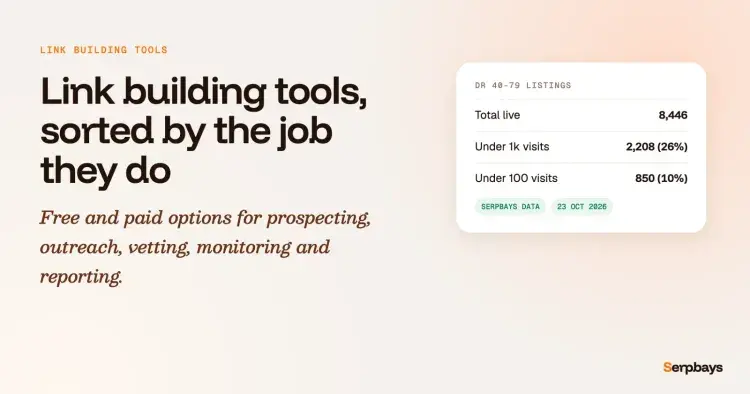
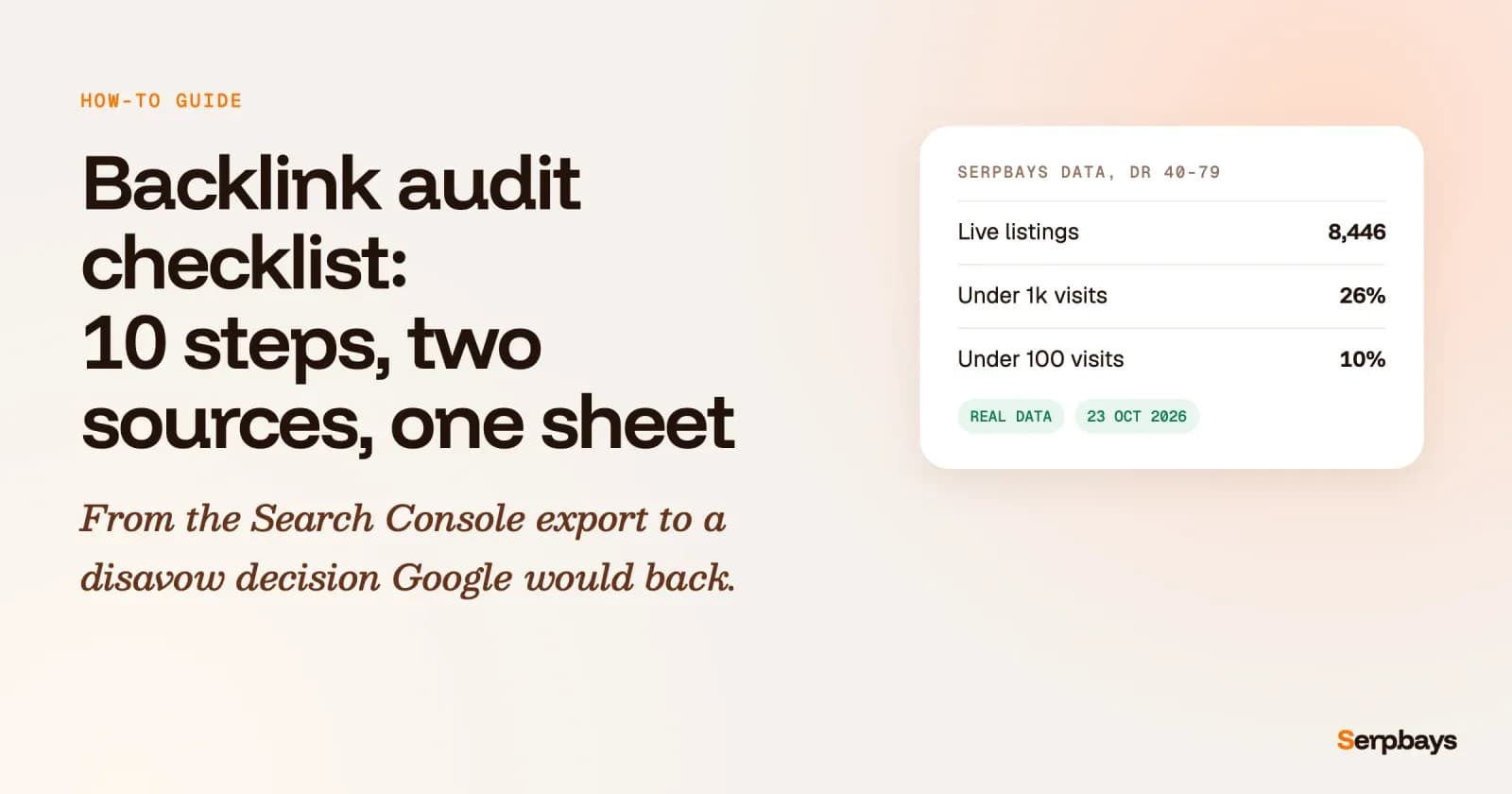
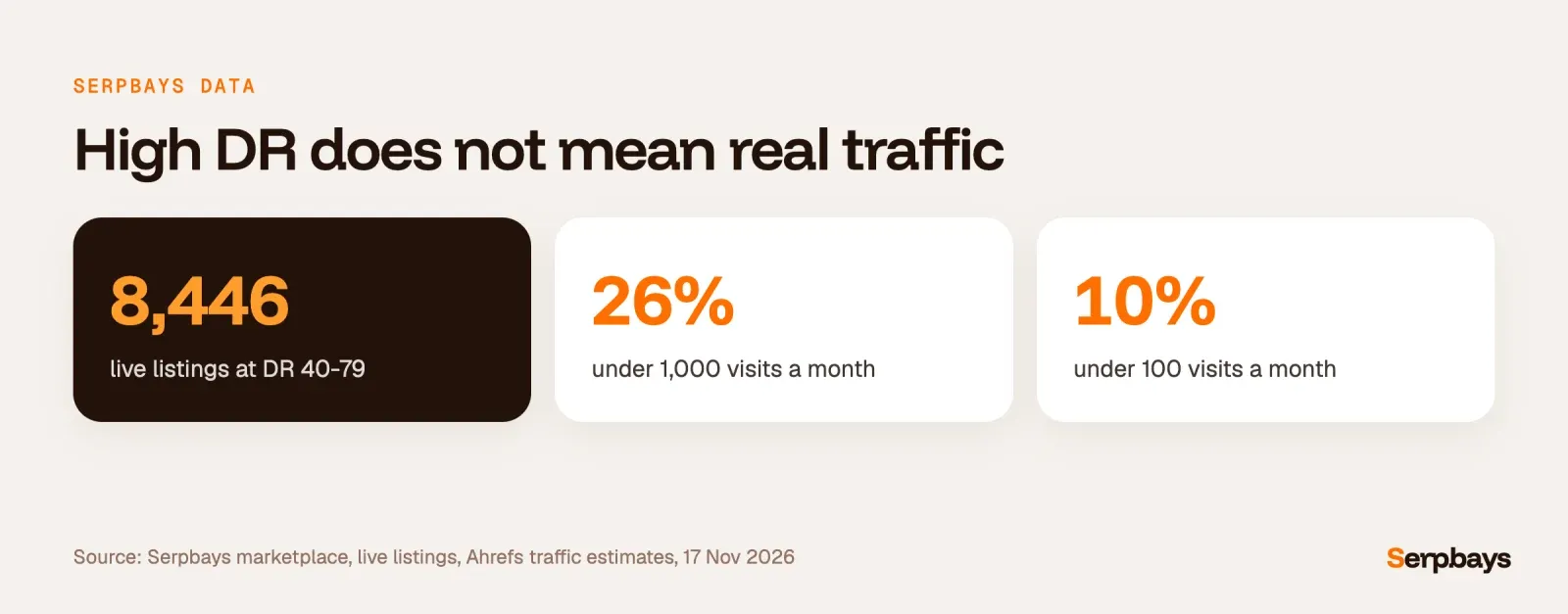
Don't stop at DR. On the Serpbays marketplace, 2,208 of the 8,446 live listings rated DR 40 to 79 (26%) have an Ahrefs traffic estimate under 1,000 visits a month, and 850 (10%) are under 100 (Serpbays data, 17 Nov 2026). A high DR with almost no traffic isn't proof of anything bad, but it is the first thing I'd look at twice. Our explainer on what Domain Rating measures shows why the two numbers drift apart.
Step 5: Confirm the linking pages are live and indexable
A link on a page Google won't index is worth very little. Paste the linking page URLs into our bulk noindex checker. It checks up to 100 URLs at once for meta robots, the X-Robots-Tag header, robots.txt and canonical tags.
This matters most for links you paid for. If a placement you bought is now noindexed or canonicalised elsewhere, that's a conversation with the seller, not a disavow.
Step 6: Check your own target URLs for redirects and 404s
Sort your exports by target URL. Any link pointing to a page that now returns a 404 is wasted. Run those targets through the redirect checker to see the full chain. Fix 404s with a 301 to the closest live page, and shorten chains with more than one hop.
Step 7: Review anchor text
Search Console's Top linking text table shows the most common anchors, and Google suggests you "Confirm that the link text is what you expect, and not spammy text." Group anchors into branded, URL, generic, partial match and exact match. If exact match dominates on one money page, that's a pattern worth fixing with future links. Our guide to anchor text distribution has the ratios by niche.
Step 8: Review link types
Search Console can't help here. Its help page says the report "doesn't specify if a link is marked as nofollow." Use your third-party tool's follow, nofollow, sponsored and UGC split.
A mix is normal. What you're looking for is paid placements that pass ranking credit when they shouldn't. Google's spam policies say buying and selling links is not a violation "as long as they are qualified" with rel="nofollow" or rel="sponsored". The types of backlinks guide explains each attribute.
Step 9: List lost and broken links to reclaim
Filter your tool for lost links in the last 90 days and sort by the linking domain's traffic. For each good one, check why it went: page deleted, link removed, or your URL changed. If your URL changed, Step 6 already fixed it. If the link was removed, a short email to the editor often brings it back.
In my experience, this is the highest-return step in the whole audit.
Step 10: Check spam patterns and manual actions
Open the Manual actions report in Search Console first. If it's empty, there is no manual action against your site. Then scan your sheet for the patterns Google names as link spam, which it defines as "the practice of creating links to or from a site primarily for the purpose of manipulating search rankings." Its examples include "Excessive link exchanges," "Using automated programs or services to create links to your site," and "Text advertisements or text links that don't block ranking credit." Look for clusters, not single odd links.
When should you disavow, and when should you leave it alone?
Almost always leave it alone. Google's disavow links help page says "most sites will not need to use this tool" and "This is an advanced feature and should only be used with caution." It sets two conditions together: you have "a considerable number of spammy, artificial, or low-quality links" pointing at you, and they have "caused a manual action, or likely will cause a manual action."
The same page warns that misuse "can potentially harm your site's performance in Google Search results." And the Links report page says: "For known spam sites, Google typically will ignore the links," though it adds that you might still want to remove or disavow them. That matches what we argue in why disavow is rarely needed for toxic backlinks.
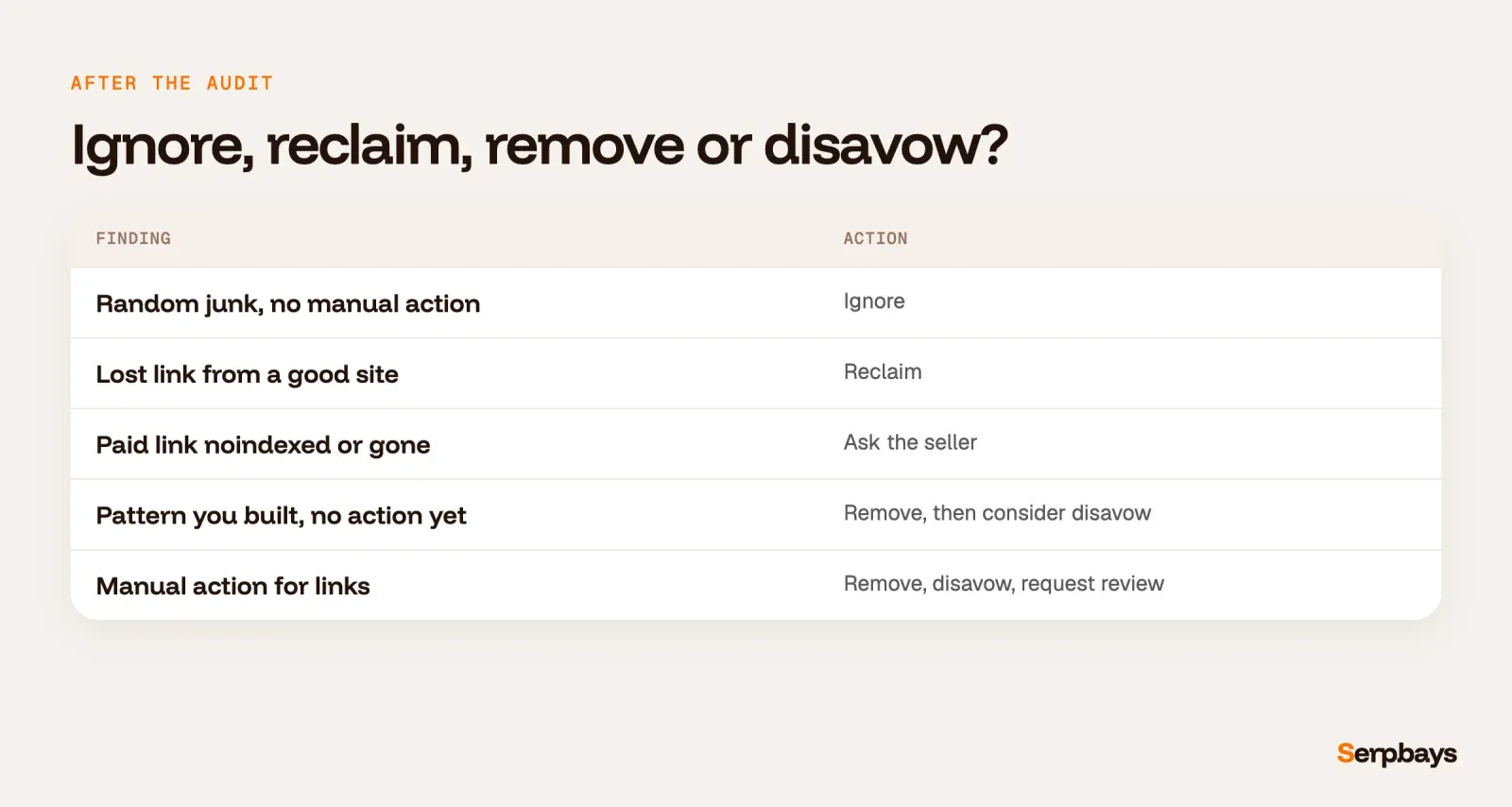
| What the audit found | What to do |
|---|---|
| Random low-quality links, no manual action | Ignore. Google likely already ignores them. |
| Lost link from a good site | Reclaim by email or fix the target URL. |
| Paid placement now noindexed or removed | Raise it with the seller. |
| Large pattern you created (bought, swapped, automated), no manual action yet | Remove what you can, then consider disavow. |
| Manual action for unnatural links | Remove, disavow the rest, request review. |
If you do have a manual action, Google's manual actions help page asks you to contact site owners first and ask them to remove the links or "prevent them from passing PageRank." It warns: "Simply disavowing all backlinks without attempting to remove them might lead to rejection of your request."
When you build the file, follow the format rules: one URL or domain per line, the domain: prefix for whole domains, lines starting with # are ignored, UTF-8 or 7-bit ASCII, a .txt name, and a maximum of 100,000 lines and 2MB. Uploading a new file "will replace any existing list" for that property, so always edit the old file rather than starting fresh. Google says "it can take a few weeks" to take effect.
How often should you run a backlink audit?
Quarterly is enough for most sites, plus one check after any big campaign or link purchase. If you buy links regularly, add a lighter monthly pass on just the URLs you paid for: are they live, indexed and pointing to the right page? That pass takes minutes with the noindex checker.
Do you need backlink audit services or a paid tool?
In my experience, no, unless you have a manual action or a profile in the tens of thousands of domains. Backlink audit services earn their fee on penalty recovery, where removal outreach and documentation take real time. For a routine SEO backlink audit, the free stack above gets you to the same decisions.
What I would not pay for is a report built around a "toxic score." Those scores are a vendor's guess. Google has told you in writing what it acts on, and it's narrower than the scores suggest.
FAQ
How do you do a backlink audit?
Export links from Google Search Console and one third-party tool, merge them and dedupe by root domain. Then check each domain's DR, traffic and index status, review anchors and link types, reclaim lost links, and check the Manual actions report before deciding on any disavow.
What should be included in a backlink audit checklist?
At minimum: both exports, a deduplicated domain list, DR and traffic per domain, index status of the linking pages, redirects and 404s on your target URLs, anchor text, link attributes, lost links, spam patterns and the manual action check. A one-page backlink audit guide with those ten items is enough for most sites.
Is there a free backlink audit tool?
Google Search Console is the most important one and it's free. Pair it with a free tier from a third-party index and free checkers for DR, noindex and redirects, and you can run a full free backlink audit without a paid subscription.
What should you do next?
Take the first 20 referring domains from your Search Console export and paste them into the bulk DR checker today. Mark any domain with a high DR and almost no traffic, then run its linking pages through the noindex checker. That one pass usually tells you whether you need the full audit this quarter. When the audit shows gaps rather than problems, you can browse curated publishers on the Serpbays marketplace.
Vinayak Gupta is the founder of Serpbays and Wordscloud, with hands-on experience in SEO, content marketing, publisher outreach, and link building. He has worked with SEO agencies, SaaS companies, and digital brands to plan content strategies, evaluate backlink opportunities, and build authority through high-quality placements. At Serpbays, he focuses on making link building more transparent, reliable, and easier for agencies and businesses.
View profile →